
Tips for optimizing shared hosting
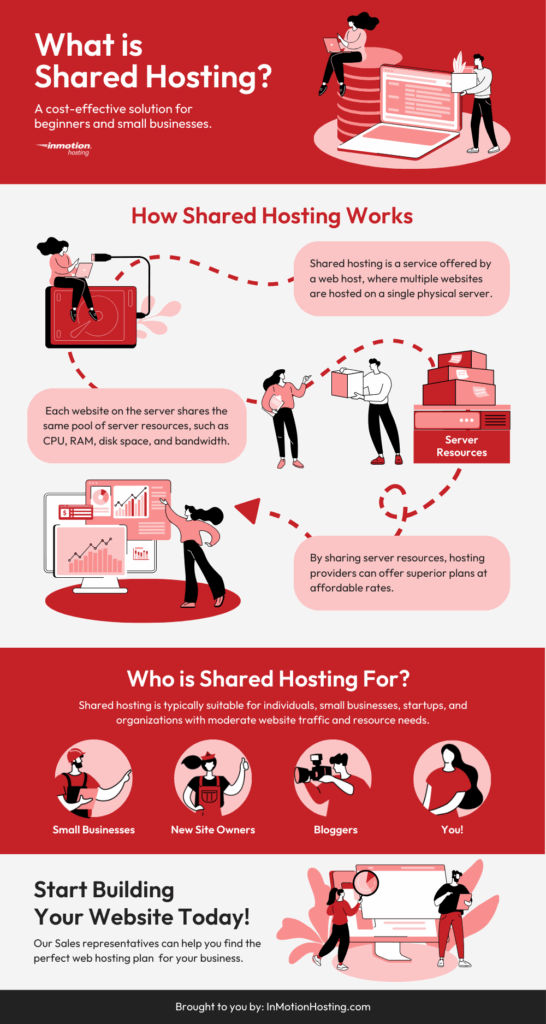
Ever felt like your website is throwing a never-ending party in a tiny apartment? That's shared hosting for you – affordable, but oh-so-crowded. I'm talking about that budget-friendly option where your site shares server space with a bunch of neighbors, all vying for the same resources. If you're nodding along, you're probably knee-deep in the world of web hosting types, wondering how to make your shared setup run smoother without breaking the bank. Let's dive into some real talk on optimizing shared hosting, while weaving in a bit about the broader hosting landscape to keep things in perspective.
Picture this: I once juggled a small blog on shared hosting, and it was like herding cats during a storm. Everything loaded at a snail's pace because, hey, we're all sharing the same server pie. But here's the kicker – shared hosting is just one slice of the hosting pie. There are other types like VPS, which gives you more control, or dedicated hosting, that's like having the whole house to yourself. Understanding these can help you see why optimizing shared hosting is a smart move before you upgrade. For instance, if your site starts feeling the squeeze, knowing the differences might save you from a hosting headache later.
Optimizing shared hosting boils down to making the most of limited resources without overwhelming the shared environment. In a nutshell, it's about tweaking what you've got to ensure your website performs like a champ. According to a quick dive into web trends, sites on shared hosting can see up to 50% better speeds with simple optimizations – that's not just tech speak; it's a game-changer for user experience. So, if you're asking, "How do I squeeze more juice out of my shared hosting?" the answer lies in a mix of smart choices and ongoing tweaks. Let's break it down, keeping our focus on how shared hosting fits into the bigger picture of hosting types.
Shared hosting is the entry-level choice for most beginners – think of it as renting a room in a bustling hostel. It's cost-effective, easy to manage, and perfect for small sites or personal blogs. But unlike VPS hosting, where you get a virtual slice of a server all to yourself, or cloud hosting that scales like magic, shared setups can get bogged down when traffic spikes or resources run thin. That's why optimization is key; it helps you avoid downtime and keeps your visitors happy without needing to jump ship to pricier options.
The rise of green web hostingTo give you a clearer view, here's a quick comparison table of hosting types, because sometimes seeing it side by side clicks better than a long explanation:
| Hosting Type | Best For | Key Pros | Potential Drawbacks |
|---|---|---|---|
| Shared Hosting | Small websites, blogs, or startups | Affordable, user-friendly, low maintenance | Resource sharing can slow things down; less control |
| VPS Hosting | Growing sites with moderate traffic | More power and customization; dedicated resources | Costs more than shared; requires technical know-how |
| Dedicated Hosting | High-traffic e-commerce or enterprise sites | Full server control; ultimate performance | Expensive; needs expert management |
| Cloud Hosting | Scalable applications and dynamic needs | Flexible scaling; high reliability | Can be complex to set up; pay-as-you-go pricing |
This table isn't just filler – it's a reminder that while shared hosting is great for starters, optimizing it can extend its lifespan. For example, if you're on shared hosting and notice slowdowns, simple tweaks might keep you from upgrading prematurely.
Alright, let's get hands-on. Optimizing shared hosting isn't rocket science; it's more like decluttering your digital closet. Start by auditing your site's needs against what your hosting plan offers. If you're maxing out CPU or bandwidth, it's time to streamline. One underrated move? Compress your images and minify CSS files – it's like packing light for a trip, making everything load faster without hogging resources.
1Begin with caching: Enable browser caching and use plugins like WP Super Cache if you're on WordPress. This stores static versions of your pages, so repeat visitors don't overload the server every time.
Navigating colocation hosting options2Optimize your database: Regularly clean up unused data and optimize tables. Tools like phpMyAdmin make this a breeze, preventing bloat that slows down shared hosting performance.
3Limit plugins and extensions: Every extra tool is another guest at the party. If you're on a CMS, audit and deactivate non-essentials to free up resources – a common pitfall in shared environments.
And don't forget about content delivery networks (CDNs). They distribute your files across global servers, which is a godsend for shared hosting users dealing with traffic from afar. It's like having a backup team that lightens the load on your main server. By comparing this to how dedicated hosting handles traffic natively, you see why these tips are crucial for staying efficient in a shared space.
The Perks of Getting It Right
When you nail shared hosting optimization, it's like upgrading from a noisy shared dorm to a cozy nook with a view. Your site loads quicker, SEO rankings climb, and bounce rates drop – all without the hefty price tag of switching hosting types. I once turned a sluggish e-commerce site around with these tweaks, and the owner was thrilled when sales picked up. It's those small wins that make the effort worthwhile, especially when you're mindful of how shared hosting differs from, say, the scalable nature of cloud options.
Pros of using virtual private serversIn the end, optimizing shared hosting isn't just about fixing problems; it's about embracing the adventure of web management with a relaxed vibe. So, what's your next move – maybe experimenting with those tips or exploring if another hosting type fits better? Either way, here's to smoother sails on the digital sea.
Quick FAQ on Hosting Types
Q: What's the main difference between shared and VPS hosting? A: Shared hosting shares resources among many users, making it cheaper but potentially slower, while VPS gives you dedicated resources on a virtual server, offering more control and reliability for growing sites.
Q: Is shared hosting suitable for e-commerce sites? A: It can work for small stores, but for high traffic or secure transactions, you might outgrow it quickly – optimizing helps, but consider upgrading to avoid risks.
Q: How do I know if I need to optimize my shared hosting? A: Signs include slow load times, frequent errors, or resource alerts from your provider; regular checks can prevent bigger issues down the line.
Debunking hosting cost mythsSi quieres conocer otros artículos parecidos a Tips for optimizing shared hosting puedes visitar la categoría Types of Hosting.
Entradas Relacionadas