
Top Features in Managed Hosting
Ever tried juggling a dozen tasks at once, only to drop the ball on the one that mattered most? That's what running a website without managed hosting can feel like—chaotic, overwhelming, and full of unexpected curveballs. But hey, let's kick back and chat about how managed hosting steps in like that reliable buddy who handles the tech headaches so you can sip your coffee in peace. We're diving into the top features that make this setup a game-changer for anyone in the hosting world, especially if you're knee-deep in guides and tutorials for getting your site up and running smoothly.
In the realm of web hosting, managed hosting is like having a personal assistant for your server—it's not just about storage; it's about letting experts take the wheel. If you're exploring guides on setting up your first site or optimizing an existing one, understanding these features can save you from late-night debugging sessions. Top features in managed hosting include seamless updates, ironclad security, and round-the-clock support, all designed to keep your focus on creating content rather than fiddling with code.
Let me paint a picture: Picture yourself as a digital gardener, planting seeds for your online business. With managed hosting, you're not out there weeding and watering every day; the service does that for you. One of the standout perks is automatic updates and maintenance. Imagine waking up to find your software patched, your plugins updated, and your site running faster than yesterday—all without lifting a finger. It's like Netflix queuing up the next episode while you relax. For tutorial enthusiasts, this means more time crafting how-to videos or writing guides instead of troubleshooting compatibility issues.
Why Automatic Scalability Feels Like Magic
Here's where things get exciting—scaling your site shouldn't require a PhD in server management. Managed hosting providers often include tools that automatically adjust resources based on traffic spikes, ensuring your site stays live and lively. Think of it as your website's personal trainer, bulking up when needed and slimming down to save costs. In hosting tutorials, we often stress the importance of scalability for growing businesses, and managed options make it straightforward. No more manual upgrades or downtime fears; it's all handled behind the scenes, much like how streaming services buffer seamlessly during peak hours.
Effective Backup Strategies for SitesFrom my own escapades, I once ran a blog that crashed during a viral post—talk about a buzzkill. Switching to managed hosting turned that nightmare into a non-issue. Features like performance optimization use caching, CDNs, and server tweaks to keep load times zippy. If you're knee-deep in hosting guides, you'll appreciate how this translates to better SEO rankings and user retention, because nobody sticks around for a sluggish site.
Security: Your Site's Unseen Guardian
Let's not gloss over security—it's the unsung hero in any hosting setup. Managed hosting amps this up with firewalls, malware scans, and SSL certificates that are as standard as wearing a seatbelt. Providers monitor for threats 24/7, blocking attacks before they even whisper your way. It's reminiscent of those spy movies where the hero has a tech wizard in the background, except here, you're the hero, and the wizard is your hosting plan.
In a world where data breaches make headlines faster than cat videos, this feature is a must for tutorial creators handling user data. For instance, if you're writing guides on e-commerce setups, knowing your platform includes advanced security protocols means you can advise readers with confidence. And let's throw in a pop culture nod: It's like having Iron Man's suit—protective, adaptive, and way cooler than going it alone.
Expert Support: When You Need a Hand, Not a Hassle
No one likes feeling stranded, especially when your site's acting up. Managed hosting shines with dedicated support teams who are basically on speed dial. Whether it's a quick chat or in-depth troubleshooting, they're there to guide you through. In hosting tutorials, we often highlight how this differentiates managed from shared hosting—it's like upgrading from a self-serve gas station to a full-service pit stop.
Hosting Ideas for High-Traffic BlogsTo keep things varied, let's compare a couple of popular options in a simple table, because who doesn't love a quick visual breakdown?
| Feature | Managed WordPress Hosting (e.g., WP Engine) | General Managed Hosting (e.g., AWS Managed Services) |
|---|---|---|
| Automatic Updates | Yes, focused on WordPress core and plugins | Yes, for servers and applications |
| Security | Daily backups and malware detection | Advanced firewalls and compliance tools |
| Scalability | Easy one-click scaling for traffic | Auto-scaling groups for high availability |
| Support | 24/7 expert WordPress help | On-demand access to engineers |
As you can see, while both offer stellar features, the choice boils down to your needs—WordPress aficionados might prefer the specialized touch. This comparison is gold for those compiling hosting guides, giving readers a clear path forward.
Real-World Perks and Pro Tips
Beyond the basics, managed hosting often includes perks like staging environments for testing changes without risking your live site—perfect for tutorial demos. Or integrated analytics that help you track performance, turning data into actionable insights. It's like having a crystal ball for your website's future. If you're into creating how-to content, these tools can elevate your tutorials from basic to brilliant.
And here's a direct answer to what you're probably pondering: The top features in managed hosting, such as effortless updates, top-tier security, and dedicated support, empower you to run a seamless site without the tech overload, letting you concentrate on what truly matters—growing your online presence. That's about 45 words of straight-up value for your search.
Understand Web Hosting BasicsWrapping Up with a Thought
So, imagine unlocking that next level of ease for your site—sounds pretty inviting, right? Whether you're crafting tutorials or just keeping things running, managed hosting's features are your secret weapon. Dive deeper into these options and see how they fit your setup; your future self will thank you with more free time and less stress.
FAQ
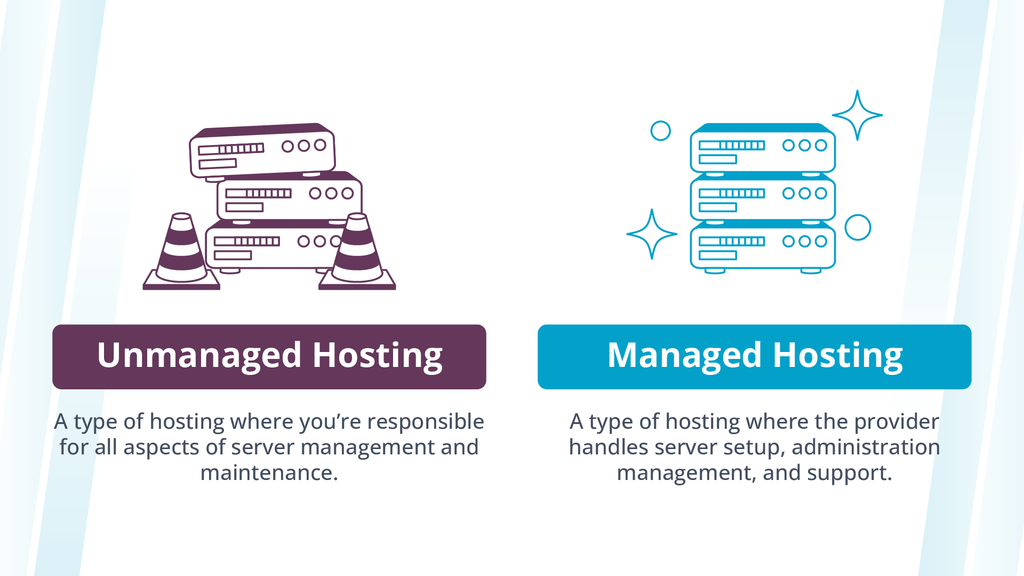
What's the main difference between managed and unmanaged hosting? Managed hosting handles all the technical upkeep for you, like updates and security, while unmanaged puts that responsibility on your plate—great if you're tech-savvy, but overwhelming otherwise.
Is managed hosting worth the extra cost? Absolutely, especially if downtime costs you money or time; the peace of mind and expert support often justify the price for growing sites.
How do I choose the right managed hosting provider? Look for one that matches your platform (like WordPress) and offers scalable resources, based on your traffic needs and budget from hosting guides you've read.
Secure Your Site with Hosting ToolsSi quieres conocer otros artículos parecidos a Top Features in Managed Hosting puedes visitar la categoría Hosting Guides and Tutorials.
Entradas Relacionadas