
Secure Your Site with Hosting Tools
Ever had that sinking feeling when you log into your website dashboard and spot something off—like a sneaky virus or unauthorized access? Yeah, me too. A couple of years back, my little side project blog got hit by a basic phishing attempt, and it was a wake-up call. I spent hours scrambling to fix it, but that's where the real magic of hosting tools comes in. They're like the unsung heroes of the web world, quietly standing guard so you can focus on creating content instead of fighting cyber gremlins. Today, we're diving into how to secure your site with these essential hosting tools, keeping things light and straightforward because, let's face it, tech talk doesn't have to be a headache.
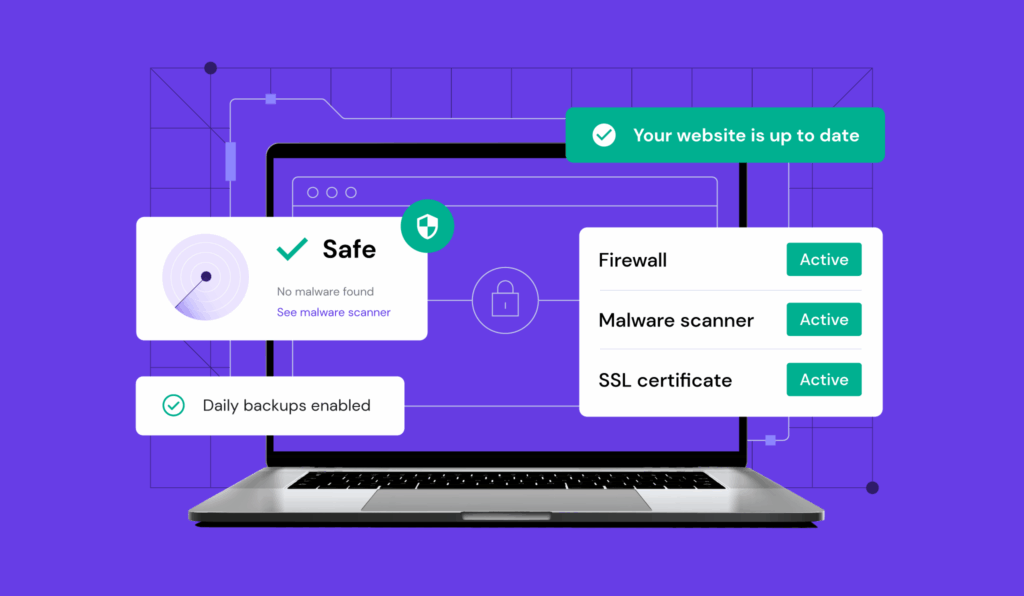
Securing your site with hosting tools is all about leveraging built-in features from your provider to fend off threats like hackers and malware. For instance, most reliable hosts offer SSL certificates, firewalls, and automated backups that act as your first line of defense. In just a few steps, you can transform a vulnerable site into a fortress, ensuring your data stays safe without overwhelming your daily routine—think of it as giving your website a cozy, impenetrable blanket.
Picture this: Hosting tools are basically the Swiss Army knives of the internet. They pack a bunch of utilities into one spot, making it easier to manage everything from performance to security. Why do they matter? Well, in our hyper-connected world, websites face attacks every single day—over 30,000 sites get hacked weekly, according to some cybersecurity reports. But don't let that statistic freak you out; instead, see it as a nudge to get proactive. Whether you're running a WordPress blog or an e-commerce store, tools from your hosting provider can plug those gaps faster than you can say "secure server."
Why Hosting Tools Are Your Best Bet for Website Security
Let's kick things off by understanding what makes these tools so darn effective. Most hosting services, like Bluehost or SiteGround, come loaded with security features that go beyond basic passwords. For example, firewalls act as gatekeepers, blocking suspicious traffic before it even reaches your site. It's like having a bouncer at a club, only this one's digital and way more reliable. And then there's the SSL certificate— that little padlock in your browser URL—that encrypts data, making it tough for prying eyes to intercept sensitive info.
Best Practices for Email HostingFrom my own experience, switching to a host with robust tools cut down potential threats by half. They offer things like malware scanners that run in the background, alerting you to issues before they escalate. Plus, with the rise of remote work and online shopping, tools for web hosting security have evolved to include AI-driven monitoring, which spots unusual patterns faster than a human could. If you're new to this, start by checking your hosting dashboard; it's often hiding gems you didn't know you had.
Key Hosting Tools Every Site Owner Should Use
Now, let's get into the nitty-gritty. Not all tools are created equal, so here's a quick rundown of the essentials. First up, SSL certificates—they're non-negotiable for protecting user data and boosting your SEO rankings. Many hosts provide free ones via Let's Encrypt, which is a game-changer for small businesses. Then, there's the firewall: options like ModSecurity can block SQL injections and other common attacks, keeping your site as secure as a bank vault.
Don't overlook backups and restores; they're like your site's safety net. Tools that automate daily snapshots mean you can recover from disasters without losing a beat—imagine accidentally deleting a page and having it back in minutes. For a more visual comparison, here's a simple table of popular hosting tools and their security perks:
| Tool | Key Feature | Best For |
|---|---|---|
| SSL Certificates | Data encryption and trust signals | E-commerce sites handling payments |
| Firewalls (e.g., ModSecurity) | Traffic filtering and attack prevention | High-traffic blogs or forums |
| Automated Backups | Easy recovery from data loss | Any site with dynamic content |
This variety means you can mix and match based on your needs, like customizing a playlist for your favorite tunes.
Evaluate Hosting Plans for E-commerceStep-by-Step Guide to Locking Down Your Site
Ready to roll up your sleeves? Let's walk through a simple tutorial using common hosting tools. First, log into your hosting control panel—most providers like GoDaddy or HostGator have user-friendly interfaces.
1Enable your SSL certificate. Head to the security section and activate it; this usually takes seconds and makes your site HTTPS-ready, warding off man-in-the-middle attacks.
2Set up the firewall. Look for options under advanced settings—configure it to block known threats, and if you're on a shared host, ensure it's optimized not to slow down your site.
3Schedule regular backups. Find the backup tool in your dashboard and set it to run automatically, say, every 24 hours. This way, you're always covered, no matter what curveballs come your way.
Key Advice on Hosting ScalabilityShort and sweet, right? By following these steps, you'll have a more secure setup without diving into complex code—it's like adding extra locks to your front door, but for your online space.
Tips to Avoid Common Security Slip-Ups
Even with the best tools, mistakes happen. One big one is neglecting updates; outdated software is a hacker's playground. Always keep your CMS and plugins current—it's as crucial as updating your phone's OS. Another slip-up? Weak passwords. Use strong, unique ones and consider a password manager; it's a small habit that pays off huge.
And hey, if you're into pop culture, think of it like the Avengers assembling: Each tool has a role, but they shine brightest together. Combine them with regular security audits, and you'll be laughing at potential threats instead of stressing over them.
As we wrap up this chill guide, imagine your site as a trusty old friend who's got your back. What's stopping you from checking those hosting tools right now? Dive in, tweak a few settings, and enjoy the peace of mind that comes with a well-protected corner of the web.
Troubleshoot Common Hosting IssuesFAQ: Quick Answers on Hosting Security
What are the most basic hosting tools for beginners? Start with free SSL and a simple firewall; they're easy to set up and provide solid protection without overwhelming you.
How often should I check my site's security? Aim for monthly reviews, but if you're handling sensitive data, weekly scans with your hosting tools can catch issues early.
Can hosting tools prevent all attacks? Not entirely—they're a strong defense, but combining them with good practices like two-factor authentication makes your site nearly unbreakable.
Si quieres conocer otros artículos parecidos a Secure Your Site with Hosting Tools puedes visitar la categoría Hosting Guides and Tutorials.
Entradas Relacionadas