
Guide to migrating to a new hosting service
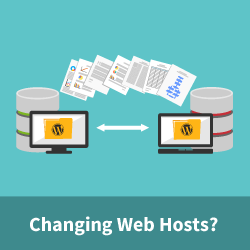
Ever had that moment when your website feels like an old pair of shoes—comfortable but starting to pinch? That's where I found myself last year, juggling a sluggish hosting service that couldn't keep up with my growing blog. If you're nodding along, this guide to migrating to a new hosting service is your friendly chat over coffee. We'll ease into the tools and resources that make switching painless, keeping things light and straightforward because, hey, tech doesn't have to be a headache.
Migrating to a new hosting service doesn't have to be a tech nightmare; it's about giving your site a fresh start with the right tools in hand. In about 45 minutes of reading, you'll grasp the essentials, from picking backups to flipping DNS switches, all while avoiding common pitfalls. Think of it as packing for a move—strategic and stress-free.
Why Even Bother Switching Hosts?
Let's kick things off with a bit of soul-searching. Maybe your current host is like that friend who's always late—unreliable when you need them most. Or perhaps you're eyeing better speeds, more storage, or features that scream "upgrade me." From my own swap, I discovered hosts like SiteGround or Bluehost that offer killer uptime and easy scalability. It's not just about escaping downtime; it's about unlocking resources that let your site thrive. Tools like GTmetrix can benchmark your current setup, showing you metrics that might surprise you—like how a slow load time is chasing visitors away faster than a bad joke at a party.
The Must-Have Tools for a Smooth Migration
Alright, let's get practical. When I migrated, I leaned on a few trusty tools that turned chaos into a checklist. First up, backup software is your best buddy—think Duplicator or UpdraftPlus for WordPress sites. These gems let you clone your entire setup without breaking a sweat. Then, there's the migration plugins; for instance, if you're on WordPress, All-in-One WP Migration is like having a personal assistant that handles file transfers and database exports in one go.
Effective tools for hosting analytics overviewFor non-WordPress folks, FTP clients like FileZilla are essential resources for hosting migration. It's as simple as dragging and dropping files, but with a dash of caution to avoid overwriting anything important. Oh, and don't overlook cPanel or equivalent interfaces; they're packed with built-in tools for importing databases and managing domains. I remember fumbling through this once, thinking, "Why didn't I jot this down?" So, here's a quick table to compare a couple of popular tools—nothing fancy, just what's helped me and might help you.
| Tool | Best For | Key Features |
|---|---|---|
| Duplicator | WordPress Users | Easy backups, one-click migration, free version available |
| FileZilla | General File Transfers | Open-source, secure FTP, handles large files effortlessly |
| UpdraftPlus | Cloud Backups | Schedules autosaves, integrates with Google Drive, user-friendly |
Spotting the Right Resources Online
Digging deeper, online resources for hosting migration are like hidden gems in a thrift shop—plentiful and valuable if you know where to look. Forums like Reddit's r/webhosting or Stack Overflow often have threads where folks share real stories, complete with tips on tools like rsync for Linux servers. It's a bit like eavesdropping on a group of experts, but in a good way. And for a relaxed vibe, check out YouTube tutorials; they're visual gold, walking you through each step as if you're learning from a mate over video call.
Step-by-Step: Let's Get That Migration Rolling
Now, for the fun part—actually doing it. I'll walk you through this like we're chatting in a park, keeping it breezy. First, 1Back up everything. Use your chosen tool to create a full site backup; it's like double-checking your suitcase before a trip.
Next, 2Set up your new hosting account. Pick one with tools that match your needs—maybe something with SSD storage for faster loads. Once in, import your backup files carefully.
Overview of free hosting resources availableThen, 3Tweak the DNS settings. This is where things get a tad tricky, like renaming files in a messy folder, but tools like Cloudflare make it smoother by handling propagation for you.
Finally, 4Test everything. Visit your site, click around, and ensure it's live without glitches. I once forgot this and had a minor panic—lesson learned!
Quick Tips and Troubleshooting Hacks
Even with the best tools, things can glitch—like when my email setup went haywire during migration. Resources like HostGator's knowledge base or official docs from providers are lifesavers here. Always check for compatibility issues between your site and the new host's server environment. And if you're into that, memes from web dev communities capture this perfectly; think of the "it works on my machine" vibe when something doesn't transfer right. Keep it light: a quick search for "hosting migration fails" on Twitter might give you a chuckle and some real advice.
Wrapping Up with a Thought
As we ease out of this guide, imagine your site thriving on a new platform, free from old constraints—what a relief, huh? If you're ready, dive into those tools and give your online presence the boost it deserves.
Key factors in hosting server selectionFAQ
What is the best tool for hosting migration? It depends on your setup, but for WordPress, Duplicator stands out for its simplicity and reliability, handling everything from backups to full transfers without much fuss.
How long does a typical migration take? Generally, a few hours to a day, but factors like site size and tool efficiency play a role—plan for downtime and test thoroughly to keep things smooth.
Are there free resources for learning more? Absolutely! Sites like WPBeginner offer free tutorials, and community forums provide peer advice that's often more relatable than paid guides.
Si quieres conocer otros artículos parecidos a Guide to migrating to a new hosting service puedes visitar la categoría Hosting Tools and Resources.
Entradas Relacionadas