
Exploring Domain Forwarding Features
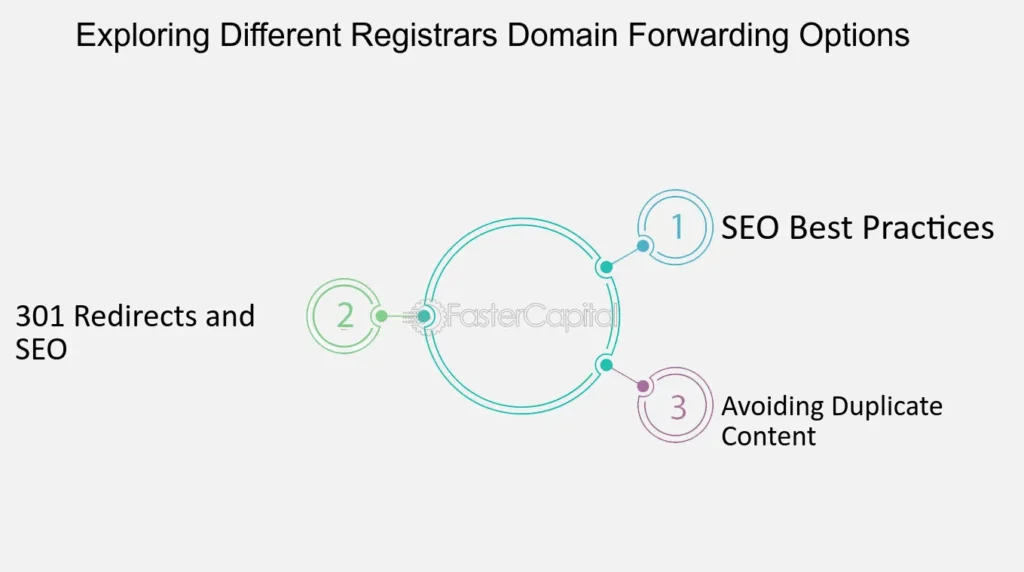
Ever had that moment when you're juggling websites like a novice circus performer, and suddenly you realize your old domain is just sitting there, collecting digital dust? That's where domain forwarding swooped in for me, turning what could have been a messy redirect into a seamless handoff. Picture this: I once owned a quirky blog about coffee beans, hosted on "beanbuzz.com," but when I rebranded to "brewmastersdaily.net," I didn't want to lose my loyal readers. Domain forwarding became my trusty sidekick, quietly steering traffic from the old spot to the new one without a hitch. Today, we're diving into the nitty-gritty of domain forwarding features, keeping things laid-back and straightforward, because let's face it, tech tutorials don't have to feel like a lecture from a stern professor.
Domain forwarding is essentially your website's way of saying, "Hey, follow me over here!" It's a feature that lets you redirect visitors from one domain to another, making sure they end up exactly where you want them. If you're knee-deep in the world of domains and DNS, this is like having a smart traffic cop directing cars to the right exit. In a nutshell, it's about maintaining your online presence without confusing your audience, and it's surprisingly easy once you get the hang of it. This simple setup can save you from lost traffic and potential revenue, especially if you're evolving your brand or merging sites.
What's the Deal with Domain Forwarding Anyway?
Alright, let's break this down without overwhelming you. Domain forwarding, often tied to DNS settings, is like forwarding your mail when you move houses. Instead of letters piling up at your old address, they get rerouted to the new one. In web terms, when someone types in your original domain, they're automatically sent to a different URL. This could be a permanent move or just a temporary nudge. For instance, if you run an e-commerce site and want to consolidate under a single domain, forwarding helps keep everything tidy.
Under the hood, this magic happens through DNS records. Your domain registrar or hosting provider handles the DNS configuration, pointing your domain to a new destination using methods like 301 redirects for SEO-friendly permanence. It's not just about vanity; it's a strategic tool for SEO, user experience, and even protecting your brand. Think about how giants like Amazon use forwarding for subdomains – it's all about that smooth user journey.
Role of DNS in Email DeliverySetting Up Domain Forwarding: A Step-by-Step Chill Guide
Now, if you're ready to roll up your sleeves, let's walk through how to set this up. I'll keep it relaxed, like we're chatting over coffee. First off, log into your domain registrar's dashboard – places like GoDaddy, Namecheap, or Google Domains make this a breeze.
1Head to your domain management section and select the domain you want to forward. Look for options labeled "Forwarding," "Redirects," or "DNS Management." It's usually front and center, but if not, check the help docs – they're surprisingly helpful.
2Choose your forwarding type. A 301 permanent redirect is ideal for most cases because it tells search engines this is the new home, preserving your SEO juice. Then, enter the destination URL – that's where you want the traffic to go.
3Decide on masking or stealth forwarding if you want the original URL to stay visible in the browser bar – it's like wearing a disguise. Save your settings, and voilà, you're done. Test it out by typing in the old domain; if it redirects smoothly, pat yourself on the back.
Quick Fixes for Domain Resolution ErrorsThis process ties directly into DNS basics, where records like CNAME or A-records play a role. For example, if you're forwarding a subdomain, you might tweak those DNS settings for precision. It's all about that interconnected web of domains and servers working in harmony.
The Perks and Pitfalls: Why Bother with This?
Why should you care about domain forwarding features? Well, imagine you're a small business owner who's outgrown their starter site. Forwarding lets you upgrade without alienating customers, boosting your site's authority in the process. Plus, it's a lifesaver for seasonal sites or events – think of a pop-up shop that redirects to your main store post-holiday.
But let's get real; it's not all sunshine. One common hiccup is SEO drops if you don't use the right redirect type, or broken links if you forget to update internal references. To compare, here's a quick table on forwarding methods versus plain DNS changes:
| Feature | Domain Forwarding | Standard DNS Change |
|---|---|---|
| Speed of Implementation | Quick and user-friendly | Can take up to 48 hours for propagation |
| SEO Impact | Preserves rankings with 301 redirects | May require manual fixes |
| Flexibility | Easy for temporary redirects | Better for permanent infrastructure shifts |
As you can see, domain forwarding often wins for simplicity, especially in the DNS-heavy world of web management.
Comparing Free and Paid Domain OptionsPro Tips for Mastering Domains and DNS
Once you're comfortable with basics, amp up your game with some insider advice. Always monitor your traffic post-forwarding using tools like Google Analytics to catch any dips. And hey, if you're into that meme culture, think of domain forwarding as the internet's version of a viral redirect – one wrong move, and it's like that cat video that loops forever.
From a DNS perspective, ensure your records are clean; overlapping entries can cause conflicts. For instance, I once dealt with a forwarding loop that had me scratching my head – it was like chasing your tail in a digital maze. Avoid that by double-checking everything, and consider using SSL certificates for secure forwards to keep things trustworthy.
Wrapping Up with a Thoughtful Nudge
As we wrap this exploration, picture your domains as a network of friendly paths leading to your online empire. Domain forwarding isn't just a feature; it's a bridge to better connectivity in the vast DNS landscape. So, what's stopping you from redirecting your way to a sleeker setup? Dive in, experiment, and watch your web presence evolve – who knows, it might just become your favorite tech trick.
FAQ: Quick Answers on Domain Shenanigans
Q: What's the difference between domain forwarding and domain masking?
A: Forwarding redirects users transparently, while masking keeps the original URL visible, which can confuse search engines but is great for branding.
Q: Can domain forwarding affect my email services?
A: Typically no, as long as your MX records are set correctly in DNS, but always verify with your provider to avoid any mix-ups.
Q: Is domain forwarding free?
A: Most registrars offer it as a free feature, but premium options like advanced redirects might cost a bit extra.
Si quieres conocer otros artículos parecidos a Exploring Domain Forwarding Features puedes visitar la categoría Domain and DNS Guides and Tutorials.
Entradas Relacionadas