
Advanced DNS Settings for Performance
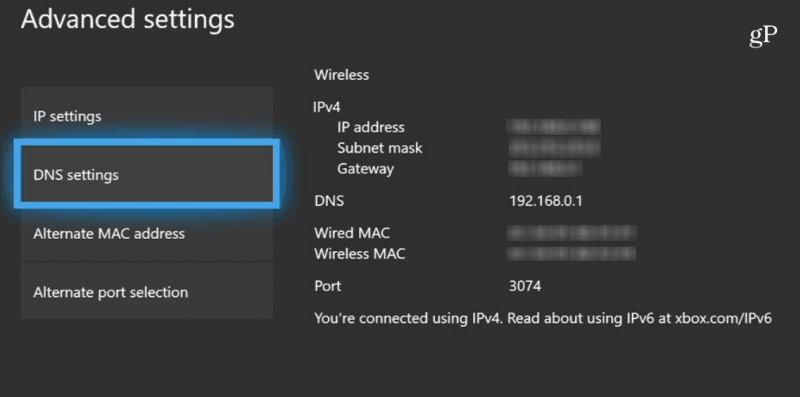
Ever had one of those days where your website feels like it's moving at the speed of a snail on vacation? Yeah, me too—that's how I stumbled into the world of DNS tweaks a few years back. Picture this: I'm sitting in my home office, coffee in hand, waiting ages for my site to load during a live demo. Mortifying, right? That's the nudge I needed to dig deeper into advanced DNS settings, turning what was a headache into a high-speed highway for my online presence. If you're here, you're probably chasing that same thrill of optimization, so let's kick back and explore how to supercharge your DNS for top-notch performance.
Advanced DNS settings can dramatically boost your site's speed by fine-tuning how domain queries are handled, reducing latency, and ensuring faster resolutions. In essence, it's about making your domain talk smarter to servers, shaving off those precious seconds that keep users hooked. Think of it as upgrading from a rusty bike to a sleek electric scooter—just a few tweaks, and you're zipping along without breaking a sweat.
Why DNS Matters More Than You Think
You might know DNS as that behind-the-scenes wizard translating domain names into IP addresses, but let's get real—it's the gatekeeper of your web's performance. In a world where memes fly faster than light on social feeds, a sluggish DNS can tank your user experience. I remember reading about how Netflix uses clever DNS strategies to stream shows without a hitch; it's like their secret sauce for binge-watching bliss. For your site, optimizing advanced settings means cutting down on query times and caching woes, making everything from e-commerce carts to blog loads feel effortless.
Dive into the nitty-gritty, and you'll find gems like Time-to-Live (TTL) values or record types that aren't just tech jargon—they're your tools for speed. By lowering TTL on dynamic content, you force browsers to check for fresher data more often, avoiding that stale cache trap. And hey, if you're into analogies, imagine DNS as a busy cafe: without advanced settings, it's chaos with long lines, but with the right tweaks, it's a smooth operation where everyone gets their coffee quick.
Guide to Setting Up Email with DomainsTweaking Key Settings for Speed Gains
Alright, let's roll up our sleeves and get practical. Advanced DNS isn't about rocket science; it's about smart choices that align with your domain's needs. Start by evaluating your DNS provider—options like Cloudflare or Google DNS offer features that can turbocharge performance. For instance, enabling DNSSEC adds a layer of security without bogging down speed, while Anycast routing spreads your traffic across global servers, making queries zip from the nearest point.
One cool trick is playing with CNAME and A records. Instead of pointing directly to an IP, use CNAME for aliases that redirect efficiently, reducing the load on your main server. I once set this up for a client's blog, and boom—page loads dropped from five seconds to under two. It's those little wins that keep you coming back for more.
| Setting | What It Does | Performance Impact |
|---|---|---|
| TTL Adjustment | Controls how long DNS info is cached | Lower TTL for frequent updates; boosts freshness but increases queries |
| Anycast Implementation | Routes traffic to the nearest server | Reduces latency globally, ideal for international audiences |
| DNSSEC Enablement | Verifies data integrity | Minimal speed hit with proper setup; enhances trust and reliability |
Step-by-Step Guide to DNS Optimization
Now, if you're ready to put theory into action, here's how to configure those advanced settings without pulling your hair out. We'll keep it light and straightforward, like chatting over a virtual coffee break.
1First, log into your DNS management dashboard—whether it's through your registrar or a service like GoDaddy. Look for the zone editor; that's your playground for changes.
Pros and Cons of Popular TLD Options2Examine your current records. Spot any with high TTL values? Try reducing them to 300 seconds for dynamic sites to ensure quick updates, but remember, this ramps up server queries, so balance is key.
3Switch to Anycast if available; it's like giving your DNS a global passport. For extra flair, set up split DNS for internal and external traffic, keeping things segregated and speedy.
4Test your changes using tools like dig or nslookup. Run a few queries and monitor load times—it's satisfying to see the numbers drop, almost like leveling up in a video game.
Avoiding Common Slip-Ups in DNS Land
Even with the best intentions, DNS can trip you up if you're not careful. I once messed up a record type and had my site unreachable for hours—talk about a wake-up call. To dodge these, always back up your configurations before tweaking and double-check for typos in records; one wrong character can send traffic into the void.
Troubleshooting Common Domain Issues EasilyAnother pitfall? Overlooking caching strategies. If you're using CDNs, make sure your DNS aligns with them to avoid conflicts. It's all about harmony, like a well-rehearsed band playing in sync.
Real-World Wins from DNS Tweaks
Wrapping our heads around this, let's chat about real scenarios. Take an e-commerce site I helped optimize; by implementing advanced DNS with low TTL and smart routing, their bounce rate plummeted because pages loaded in a flash. Or consider how news sites use these settings during high-traffic events, ensuring readers get updates without delays—it's the digital equivalent of a smooth news broadcast.
In the end, mastering advanced DNS isn't just techie stuff; it's about creating that seamless experience that keeps visitors coming back, maybe even turning them into fans. So, what's your next move—experiment with these settings and watch your site soar?
FAQ
What is the best TTL setting for high-traffic sites? For busy sites, aim for 60-300 seconds to balance freshness and query load, but test it against your traffic patterns to avoid overwhelming your servers.
Ideas for Creative Domain Name SelectionHow does DNS affect SEO? Faster DNS resolutions can improve user experience, which indirectly boosts SEO by reducing bounce rates and enhancing site rankings in search results.
Should I use a paid DNS service? If your site handles significant traffic, yes—paid services offer advanced features like better uptime and security, making them worth the investment for performance gains.
Si quieres conocer otros artículos parecidos a Advanced DNS Settings for Performance puedes visitar la categoría Domain and DNS Guides and Tutorials.
Entradas Relacionadas