
Innovative Ideas for VPS Configuration
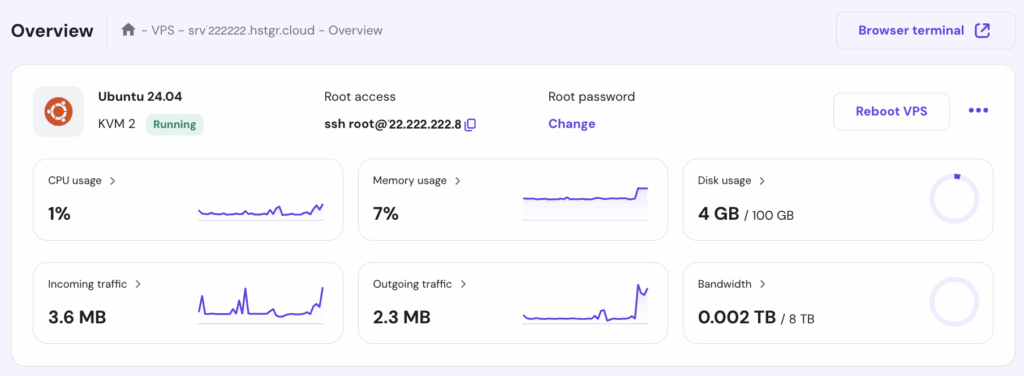
Ever feel like wrangling a VPS is a bit like trying to tame a wild garden—overgrown with potential but messy if you don't prune it right? I remember my first go at setting one up; I dove in headfirst, only to end up with a server that crashed faster than my weekend plans. But hey, that's the beauty of innovation in hosting configuration—it turns those headaches into streamlined setups that actually work for you. Today, we're diving into fresh, creative ideas for VPS configuration that keep things optimized, efficient, and, dare I say, fun. Let's chat about making your virtual private server not just functional, but a powerhouse tailored to your needs.
Innovative VPS configuration starts with understanding your unique demands, like matching the right resources to your project's scale. By blending automation tools with smart security tweaks, you can boost performance without the constant babysitting. This approach not only cuts downtime but also scales effortlessly as your site grows—think of it as giving your server a smart upgrade that evolves with you.
Reimagining Your VPS Foundation
Picture this: you're building a house, but instead of sticking to the same old blueprint, you're experimenting with modular designs that adapt on the fly. That's the essence of modern VPS setup. Start by selecting a provider that offers flexible resource allocation—RAM, CPU, and storage that you can tweak without downtime. For instance, services like DigitalOcean or Linode let you snapshot your server state, allowing quick rollbacks if things go south. This isn't just about basics; it's about creating a resilient base that anticipates changes, much like how streaming services adjust quality based on your internet speed.
In my experience, one overlooked gem is using containerization with Docker right from the get-go. It compartmentalizes your applications, making updates a breeze and reducing conflicts. Imagine running multiple websites on the same VPS without them tripping over each other—pure magic for developers juggling projects. By integrating this early, you're not just configuring; you're future-proofing your hosting against the ever-shifting digital landscape.
Key Insights into Dedicated Server OptimizationSmart Resource Optimization Tricks
Okay, let's get real—nobody wants a VPS that's hogging resources like a kid in a candy store. Innovative ideas here focus on efficiency, such as employing auto-scaling features that ramp up power during traffic spikes and dial back when things calm down. Tools like AWS Auto Scaling or even free options in Vultr can monitor usage and adjust dynamically, saving you cash and headaches.
Another cool twist is leveraging caching mechanisms. For web hosts, implementing Redis or Varnish can cache frequently accessed data, slashing load times by up to 50%. I once optimized a client's e-commerce site this way, and their bounce rate dropped noticeably—talk about a win. Don't forget about disk optimization; switching to SSDs or NVMe drives isn't just a upgrade; it's a game-changer for I/O-bound tasks. VPS optimization like this ensures your server runs lean, turning potential bottlenecks into smooth operations.
| Feature | Basic Setup | Innovative Optimization |
|---|---|---|
| Resource Allocation | Fixed RAM/CPU | Auto-scaling and dynamic adjustments |
| Caching | Manual file caching | Automated tools like Redis for real-time efficiency |
| Security | Basic firewalls | AI-driven threat detection and automated patches |
Step-by-Step for Performance Tuning
Ready to roll up your sleeves? Let's walk through a simple yet effective tuning process. 1 Assess your current workload by running tools like htop or atop to spot resource hogs. 2 Fine-tune your kernel parameters with sysctl for better network handling—tweaks like increasing the TCP buffer size can handle bursts of traffic seamlessly. 3 Integrate monitoring with Prometheus, which not only tracks metrics but alerts you via email or Slack, keeping you one step ahead of issues.
Fortifying Security with Fresh Approaches
In a world where cyber threats lurk like uninvited party crashers, innovative VPS configuration means bolstering defenses creatively. Beyond standard firewalls, consider implementing fail2ban to auto-ban suspicious IP addresses based on patterns—it's like having a bouncer for your server. Or, dive into zero-trust models, where every access request is verified, drawing from concepts in modern corporate security that's as relevant for personal hosting as it is for enterprises.
Essentials for First-Time Hosting SetupA neat cultural nod: just as memes spread rapidly online, so do vulnerabilities, so stay patched with automated tools like Ansible playbooks. This not only secures your setup but adds a layer of automation that feels almost playful, turning what could be a chore into a proactive adventure.
Exploring Automation and Monitoring Wonders
Here's where things get exciting—automation isn't just a buzzword; it's your VPS's best friend. Scripts via Bash or Python can handle backups, updates, and even routine checks, freeing you up for the creative stuff. I love how tools like Zabbix provide dashboards that visualize everything, making monitoring feel less like a task and more like glancing at a smartwatch for your server health.
One innovative idea? Set up CI/CD pipelines for your hosting environment, so code changes deploy automatically without manual intervention. It's like having a personal assistant who's always on point, ensuring your hosting optimization stays top-notch and error-free.
As we wrap this up, think about how these tweaks can transform your digital space into something truly yours—efficient, secure, and ready for whatever comes next. What's your next move in VPS mastery? Dive in, experiment, and watch your hosting evolve.
Exploring Hosting Optimization TechniquesFAQ
What is the best way to choose a VPS for optimization? Start by evaluating your traffic needs and budget; providers like Vultr offer scalable options that grow with you, focusing on features like instant provisioning for quick setups.
How often should I optimize my VPS configuration? Aim for quarterly reviews, especially after major updates or traffic changes, to keep performance sharp and adapt to new tech trends.
Can beginners handle innovative VPS ideas? Absolutely, with user-friendly interfaces and community guides, even newcomers can start small and build confidence through tools like free tiers on DigitalOcean.
Pros and Cons of Various Hosting TypesSi quieres conocer otros artículos parecidos a Innovative Ideas for VPS Configuration puedes visitar la categoría Hosting Configuration and Optimization.
Entradas Relacionadas